> For the complete documentation index, see [llms.txt](https://docs.lisalab.io/llms.txt). Markdown versions of documentation pages are available by appending `.md` to page URLs; this page is available as [Markdown](https://docs.lisalab.io/~/changes/nTd2kdqu4i8fnOkHTWmm/features-how-tos/wrapping-unwrapping.md).
# Wrapping / Unwrapping
#### To convert your rebasing token into a reward-bearing token, you can do this via the Wrap feature.
Wrapped LISA tokens will maintain the same amount but its intrinsic value changes each passing cycle.
For example, your 1,000 vLiSTX will become 1,100 LiSTX after a year assuming the reward’s APY is 10% consistently while your rebasing version would just become 1,100 LiSTX reflected in your wallet.
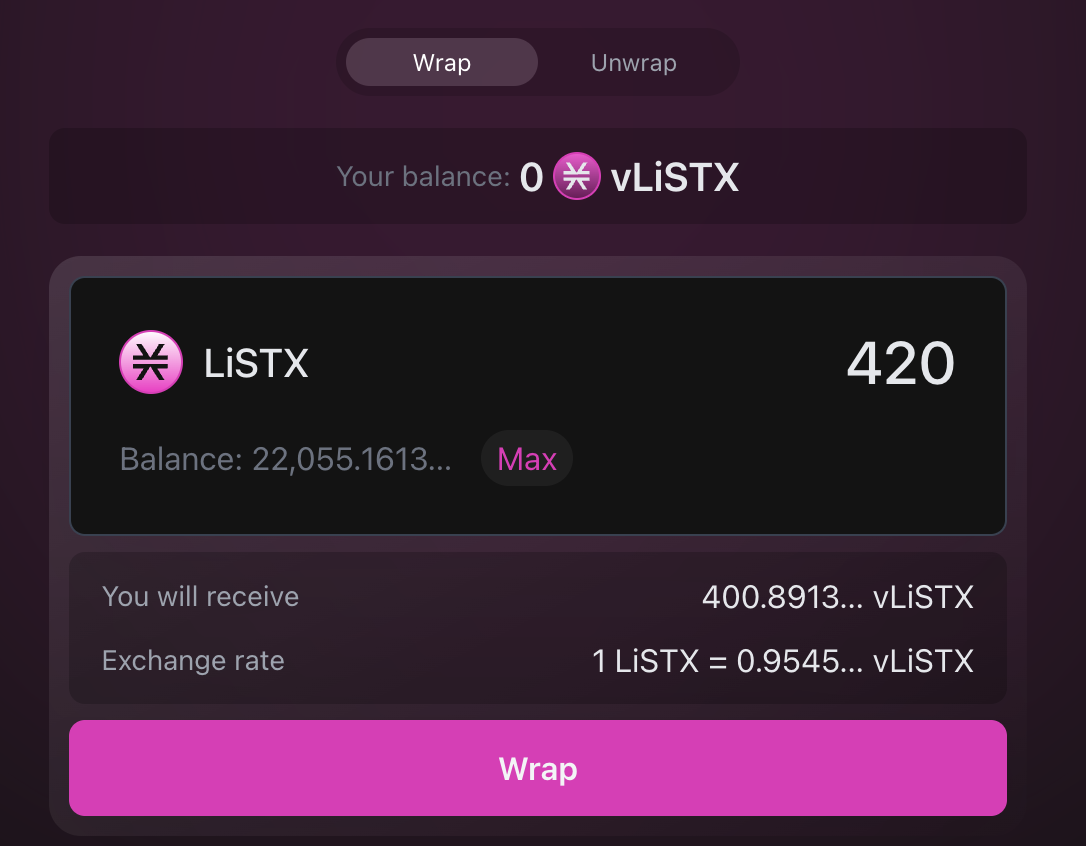
To wrap:
1. To wrap, you would need to have LiSTX balances within your wallet.
2. To begin wrapping, click on the [Wrap section](https://app.lisalab.io/li/stx/wrapUnwrap) of LISA.
3. Type in the amount you would like to wrap.
4. Check the rate of LiSTX -> vLiSTX; this only increases through time.
5. Click ‘Wrap’ and approve the ‘Mint’ transaction.
To convert your wrapped token back to a rebasing token, you can do this via the Unwrap feature.
Unwrapped LISA token balance changes each passing cycle.
For example, your 1,000 LiSTX will become 1,100 LiSTX after a year assuming the reward’s APY s 10% consistently; you won’t need to click Unstack or check AMM rate to see your balance change as the LISA UI would reflect your balance change directly on the UI.
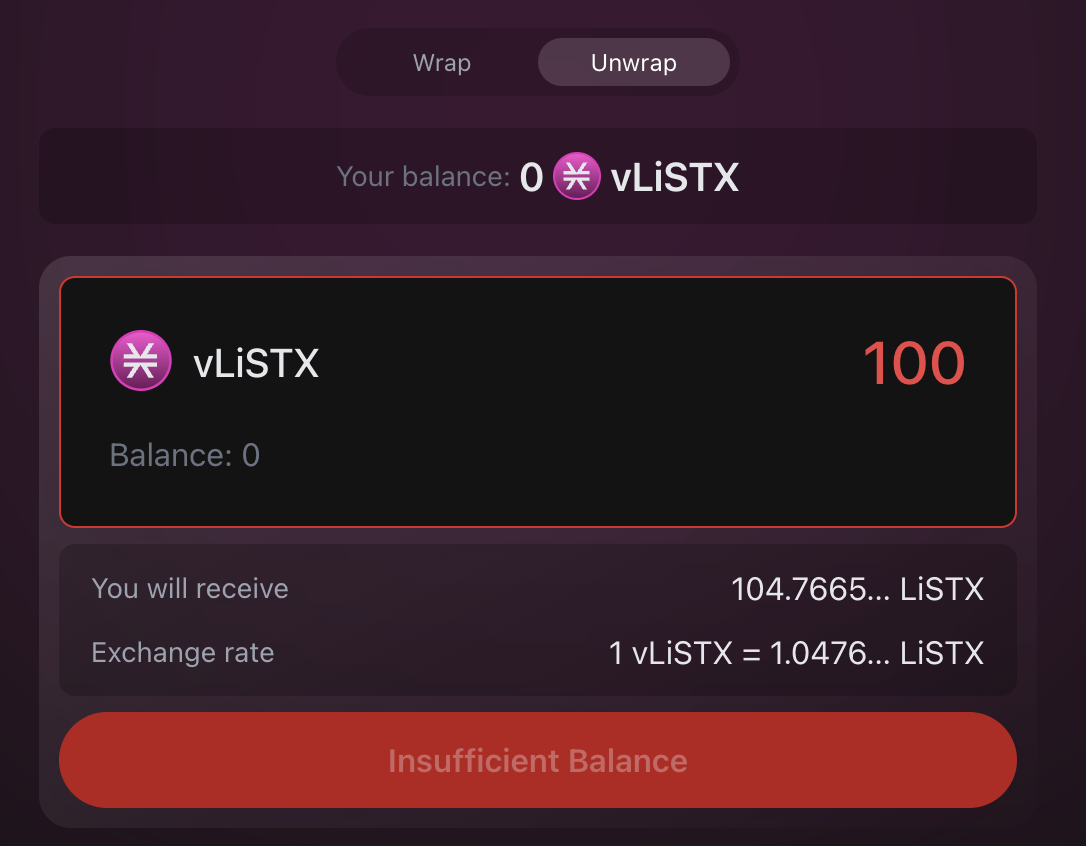
**To wrap:**
1. To unwrap, you would need to have vLiSTX balances within your wallet.
2. To begin unwrapping, click on the [Wrap section](https://app.lisalab.io/li/stx/wrapUnwrap) of LISA and choose ‘Unwrap’.
3. Type in the amount you would like to unwrap.
4. Check the rate of vLiSTX -> LiSTX; you can also use this to determine how much reward you have earned thus far.
5. Click ‘Unwrap’ and approve the ‘Burn’ transaction.